How we work
We set Claude up for your team with your IT provider, then train people on their real tasks. This page explains how the training sessions run. For the setup itself, see Claude implementation and connecting Claude to Microsoft 365.
How do we choose the right training?
Start with one task your team repeats and the approved tools available to them. For document analysis, agree which sources matter and what a reviewer must check. For company information, establish where the material is stored and who can access it before choosing a training format.
Before work begins, we agree the participants, permitted examples and intended outcome with you. The scope and fee are confirmed in writing. Any use of your documents needs your agreement and appropriate handling arrangements.
Our recorded Claude and Copilot comparison shows the kind of evidence a team can use to assess an answer. A workshop can then apply an agreed method to your own work. Detailed exercises and training materials are supplied privately under the engagement.
Three training formats
These are formats for the training itself. For the wider choice between a one-team Claude rollout, workflow implementation and ongoing support, see ways to start.
Leadership session
- Who attends
- The leadership team or board. It can help to include whoever looks after IT.
- What happens
- We work through examples in the tools you have and discuss the decisions in front of you: which teams to start with, what to expect, and what to ask IT and vendors. If Claude is on your mind, we try it on your kind of work.
- You leave with
- A shared view of where to start and the questions that still need answers.
Department training
- Who attends
- One team with shared work, such as finance, HR or operations, together with its manager.
- What happens
- Participants practise an agreed recurring task in the tools your organisation has approved. For a team reviewing documents, this could mean comparing two conflicting records, drafting a short decision note and checking each material conclusion against its source. We agree permitted examples before the session. The manager joins so the team can decide how to apply the work afterwards.
- See the approach
- Our Claude and Copilot document test shows both tools finding the main discrepancy and the wording a reviewer still needed to question. It uses fictional records and sets out the limits of the test.
- You leave with
- Written steps for repeating the task, including what to check before using the answer. Exercises and supporting materials are supplied privately. We agree any further sessions or implementation support in the proposal.
Supported programme
- Who attends
- A group from one or more teams, agreed with you.
- What happens
- A series of sessions with time between them to use what was learned. Participant feedback shapes what comes next.
- You leave with
- Training that follows what your people found hard, and colleagues able to help others.
What we need from you
We prepare the session material. The preparation on your side is light.
- A conversation about your tools, your teams and what is getting in the way.
- Confirmation of who has which licences and which tools are approved.
- For department training, a few recurring tasks the team would like help with. Where real files can't be used, we prepare fictional material that keeps the same difficulties.
- The people who will take part, with time set aside for the session.
Before, during and after a session
Before
We check access and approved tools, so we only show what people can use the next day.
During
People work through their own tasks. For each one we agree which parts suit an AI assistant, which are better handled with ordinary features such as rules and templates, and what a person needs to check.
After
The team keeps written steps and saved templates. In a programme, we ask what people need next and adjust the following session.
Material written for your organisation
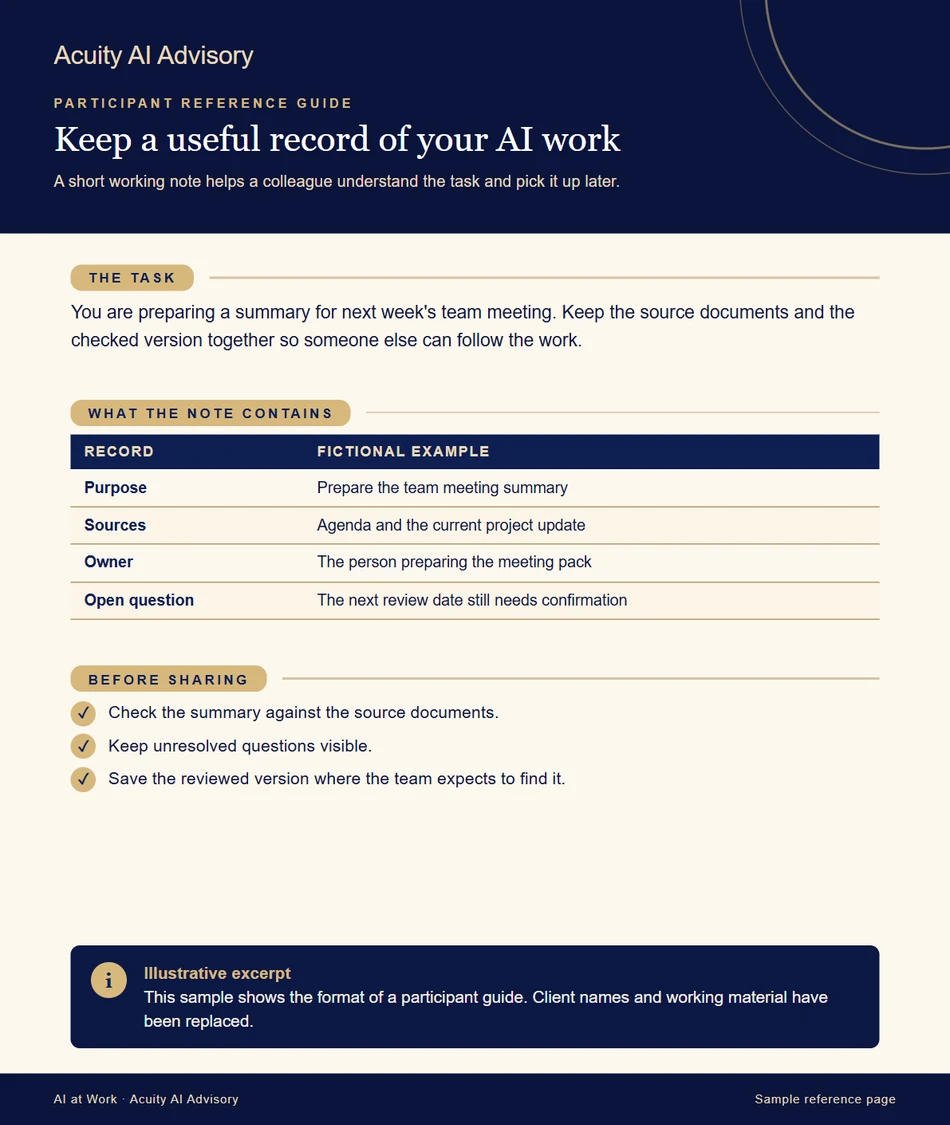
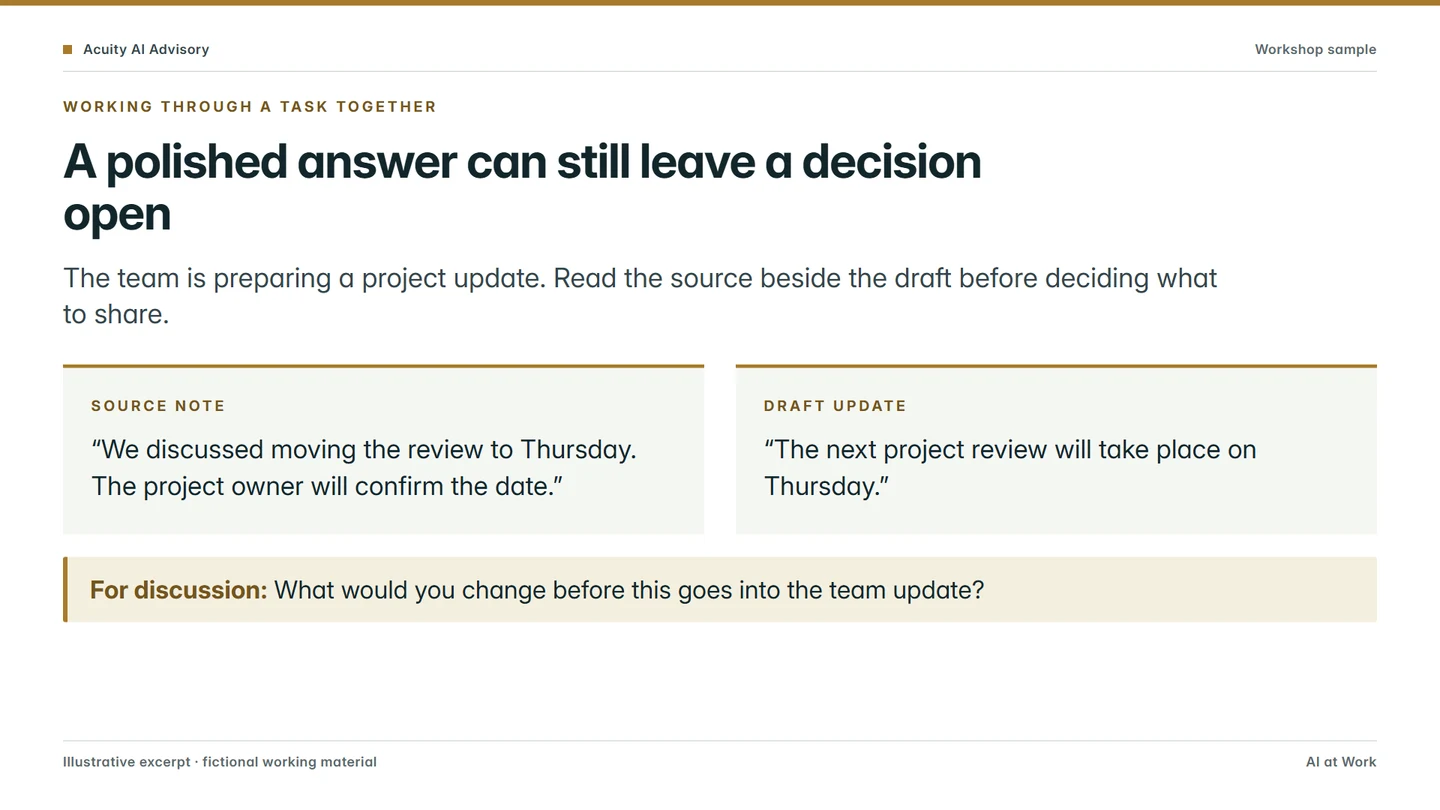
For team programmes, we prepare reference guides and workshop slides around the agreed work. Training packs, exercises and editable materials are supplied privately as part of an agreed commercial engagement.
The excerpts here use the same formats with newly written fictional examples.
Do we need new systems?
Usually only Claude licences for the people who will use it. Claude connects to the Microsoft 365 you already have, and your IT provider approves that connection once.
If a job needs anything more, such as a different tool or something built, we say so before anything is bought or commissioned, and it is agreed separately. Where you already have Copilot, we show people which tool suits which task. We take no reseller margin or vendor referral fee, so that advice is tied to your work.
Talk to us about where to start
Our Claude training page sets out what people practise, and our articles show the kind of tasks we work through.